
Introduction
With so many options available, choosing the right streaming device can feel overwhelming. Whether you want to binge the latest Netflix series, catch live sports, or stream music, the right device can transform any TV into an entertainment powerhouse.
This guide breaks down what to consider, the most popular devices, and which features matter most, so you can make a confident decision.
🎬 What Is a Streaming Device?
A streaming device connects to your TV (usually via HDMI) and uses your internet connection to deliver content from platforms like:
- Netflix
- Disney+
- Hulu
- Amazon Prime Video
- YouTube
- Spotify
Some devices also support gaming, smart home integration, and voice assistants.
🛒 Key Factors to Consider
Before you buy, think about these important questions:
✅ What apps do you use most?
Make sure the device supports all your favorite services.
✅ Do you care about 4K and HDR?
If you have a 4K TV, pick a device that offers 4K Ultra HD and HDR for the best picture quality.
✅ What ecosystem are you in?
Do you use Apple devices? Alexa? Google? The right device will fit seamlessly into your digital life.
✅ Budget:
Prices range from $30 to over $150.
✅ Remote and navigation:
Some remotes have voice search, programmable buttons, or built-in controls for your TV volume.
🏆 Top Streaming Devices to Consider
Here’s a breakdown of the most popular options:
1️⃣ Roku Streaming Stick 4K
Best For: Simplicity and wide app support
✅ Features:
- 4K, HDR10+, Dolby Vision
- Simple, intuitive interface
- Voice remote
- Works with Alexa, Google Assistant, and Apple AirPlay
💡 Why You’ll Like It: Roku has one of the most extensive app libraries, covering almost every major streaming service.
2️⃣ Amazon Fire TV Stick 4K Max
Best For: Alexa users and smart home integration
✅ Features:
- 4K Ultra HD, Dolby Vision, HDR10+
- Alexa voice remote
- Picture-in-picture live view for smart cameras
- Fast performance
💡 Why You’ll Like It: If you already use Alexa, this device is an easy fit into your smart home setup.
3️⃣ Apple TV 4K
Best For: Apple ecosystem fans
✅ Features:
- 4K, Dolby Vision, HDR10+
- Siri voice remote
- Apple Arcade gaming
- HomeKit smart home hub
- Integration with iPhone, iPad, Mac
💡 Why You’ll Like It: If you use Apple devices and iCloud Photos, Apple TV offers seamless integration and premium performance.
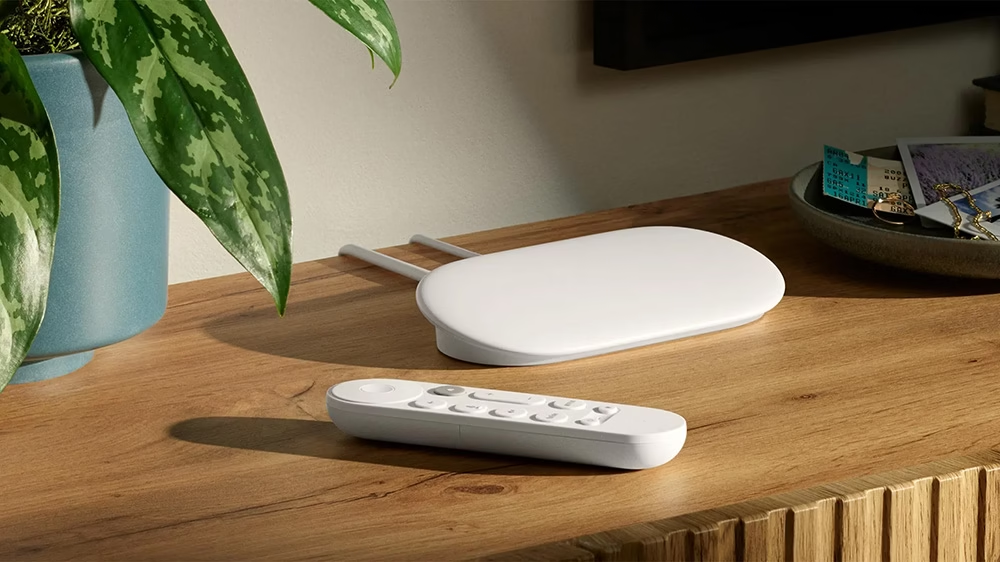
4️⃣ Google Chromecast with Google TV
Best For: Google Assistant and YouTube lovers
✅ Features:
- 4K HDR
- Google TV interface with personalized recommendations
- Google Assistant voice remote
- Casting from Android or Chrome browser
💡 Why You’ll Like It: Chromecast is ideal if you prefer Google services and casting content from your phone.
5️⃣ NVIDIA Shield TV
Best For: Gamers and power users
✅ Features:
- 4K HDR, Dolby Vision
- NVIDIA GeForce NOW game streaming
- AI upscaling for HD content
- Google Assistant built-in
💡 Why You’ll Like It: This device is perfect for advanced users who want gaming, Plex server capability, and cutting-edge AI video upscaling.
⚙️ Comparison Table
| Device | 4K Support | Voice Assistant | Key Strength |
|---|---|---|---|
| Roku Streaming Stick 4K | ✅ | Alexa, Google, Siri | Huge app selection, easy to use |
| Fire TV Stick 4K Max | ✅ | Alexa | Best for Alexa and smart home |
| Apple TV 4K | ✅ | Siri | Best for Apple users |
| Chromecast with Google TV | ✅ | Google Assistant | Best for Google ecosystem |
| NVIDIA Shield TV | ✅ | Google Assistant | Gaming and AI upscaling powerhouse |
📝 Tips Before You Buy
- Check your TV ports: Make sure you have an available HDMI slot.
- Internet speed matters: For 4K streaming, aim for speeds above 25 Mbps.
- Consider future needs: If you plan to upgrade your TV soon, choose a device that supports 4K and HDR.
- Look for deals: These devices often go on sale during holidays.
✅ Conclusion
Choosing the best streaming device depends on your budget, what you watch, and which ecosystem you prefer. Whether you want the simplicity of Roku, the Alexa integration of Fire TV, or the premium features of Apple TV, there’s a perfect match out there.